How to send Partnership DMs
Last updated: May 13, 2026
Overview
Partnership DMs let you send Instagram direct messages to creators you haven't interacted with before. You can reach out to creators cold, and the messages land in a dedicated "Partnerships" folder in the creator's Instagram inbox — separate from their regular messages.
Use this feature when you want to:
Reach out to new creators you've found through Creator Discovery — without needing them to contact you first
Send personalized outreach messages to one or multiple creators in bulk
Initiate partnership conversations that appear in a dedicated, professional inbox folder on the creator's side
Important Limitations
Creator availability
The creator must have opted into paid partnership messages. This is a setting the creator controls on their own Instagram account. If a creator has not enabled this, they will appear as "unavailable" when you try to send a Partnership DM. You cannot override this.
The creator must be onboarded to Creator Marketplace. Creators who are not part of Meta's Creator Marketplace cannot receive Partnership DMs.
High-follower creators may be shielded. Meta protects certain creators with more than 250K follower counts from receiving Partnership DMs to prevent inbox overload.
Creators can hit an inbound threshold. If a creator has received Partnership DMs from too many brands, Meta will temporarily block additional brands from messaging them.
Brand sending limits (enforced by Meta)
250 unique creators per day. Your brand can send Partnership DMs to up to 250 different creators in a single day. This is a rolling daily cap enforced by Meta.
2 messages per creator per 30 days. You can send up to 2 Partnership DMs to the same creator within any 30-day period. After that, you must wait for the window to reset.
Message requirements
Bulk messages require a personalization variable. When sending to multiple creators, your message must include at least one variable (the creator's Instagram handle is pre-filled as
{{instagram_profile_handle}}). This prevents messages from being flagged as spam.
Step-by-Step
Sending a Partnership DM from Creator Discovery or Direct
Navigate to Creator Discovery or a Creator List (Direct).
Select one or more creators you want to message.
Click the Message dropdown and select Send Direct Message.
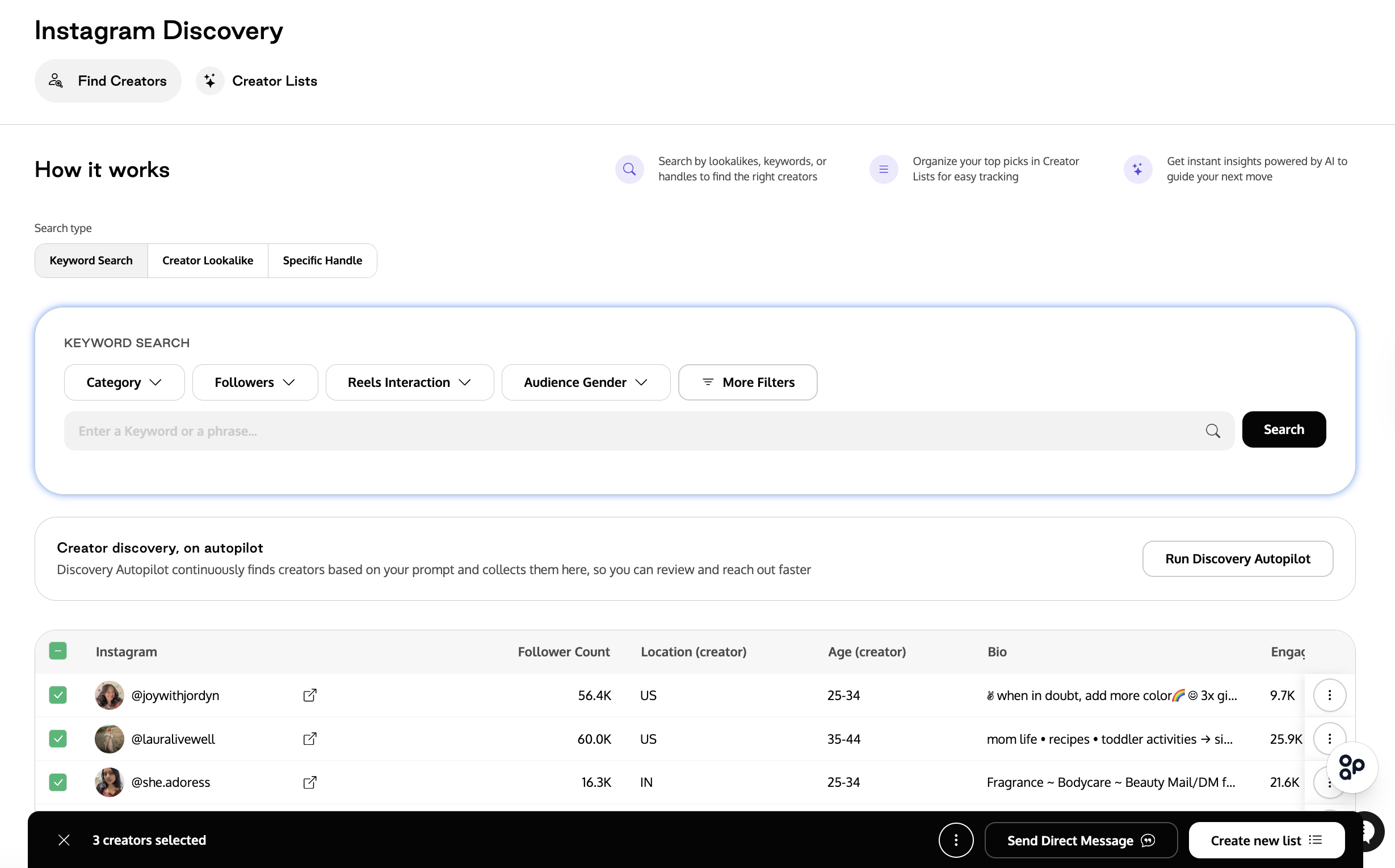
The system checks each selected creator for Partnership DM availability.
If some creators are unavailable: a modal appears listing the creators who can't receive messages ("They chose not to receive partnership DMs"). Click Continue to proceed with the available creators, or Cancel to go back and adjust your selection.
If all selected creators are unavailable: the Continue button is disabled. You'll need to pick different creators.
In the message composer, write your message. The variable
{{instagram_profile_handle}}is pre-filled — it will be replaced with each creator's Instagram handle when the message is sent.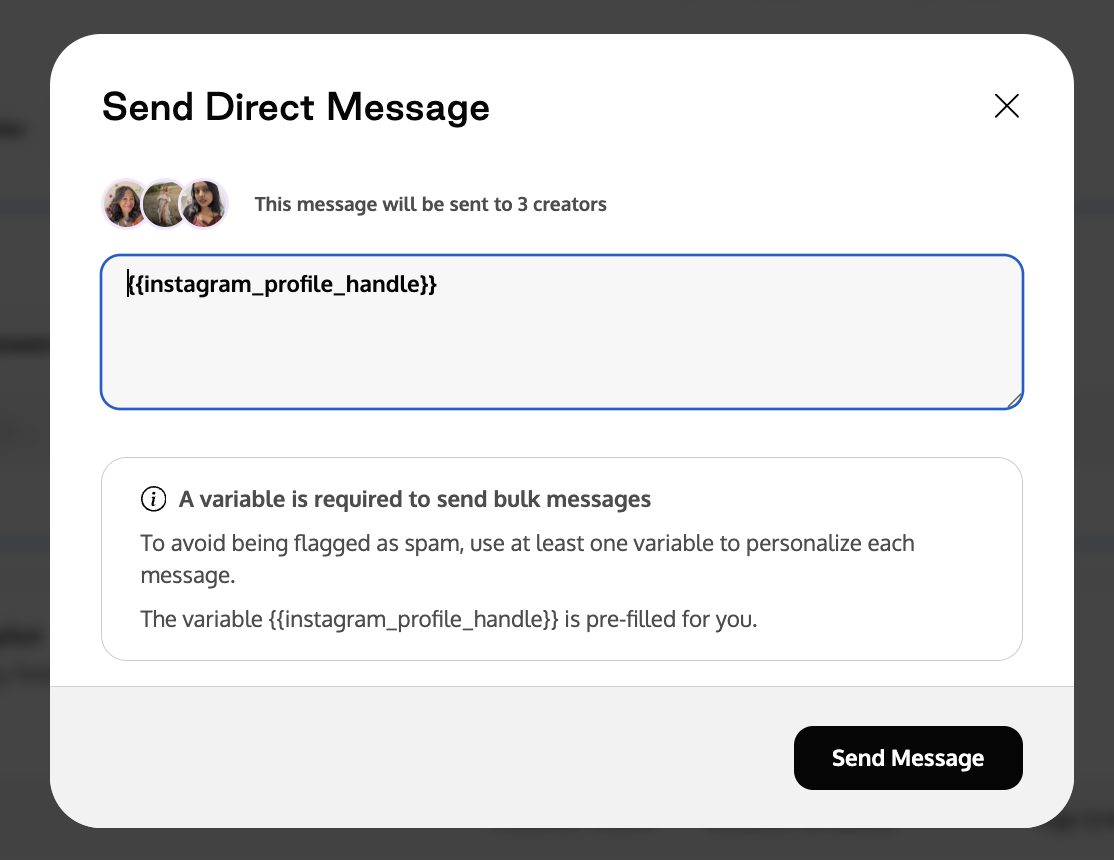
Click Send Message.
For a single creator, you'll be redirected to the Direct Messages page filtered to the "Partnerships" tab, where you can continue the conversation.
For bulk sends, messages are queued and sent in the background.
Viewing Partnership DM conversations
Navigate to Communications → Direct Messages.
Click the Partnerships filter tab.
You'll see all conversations that were initiated through Partnership DMs, separate from your regular Instagram conversations.
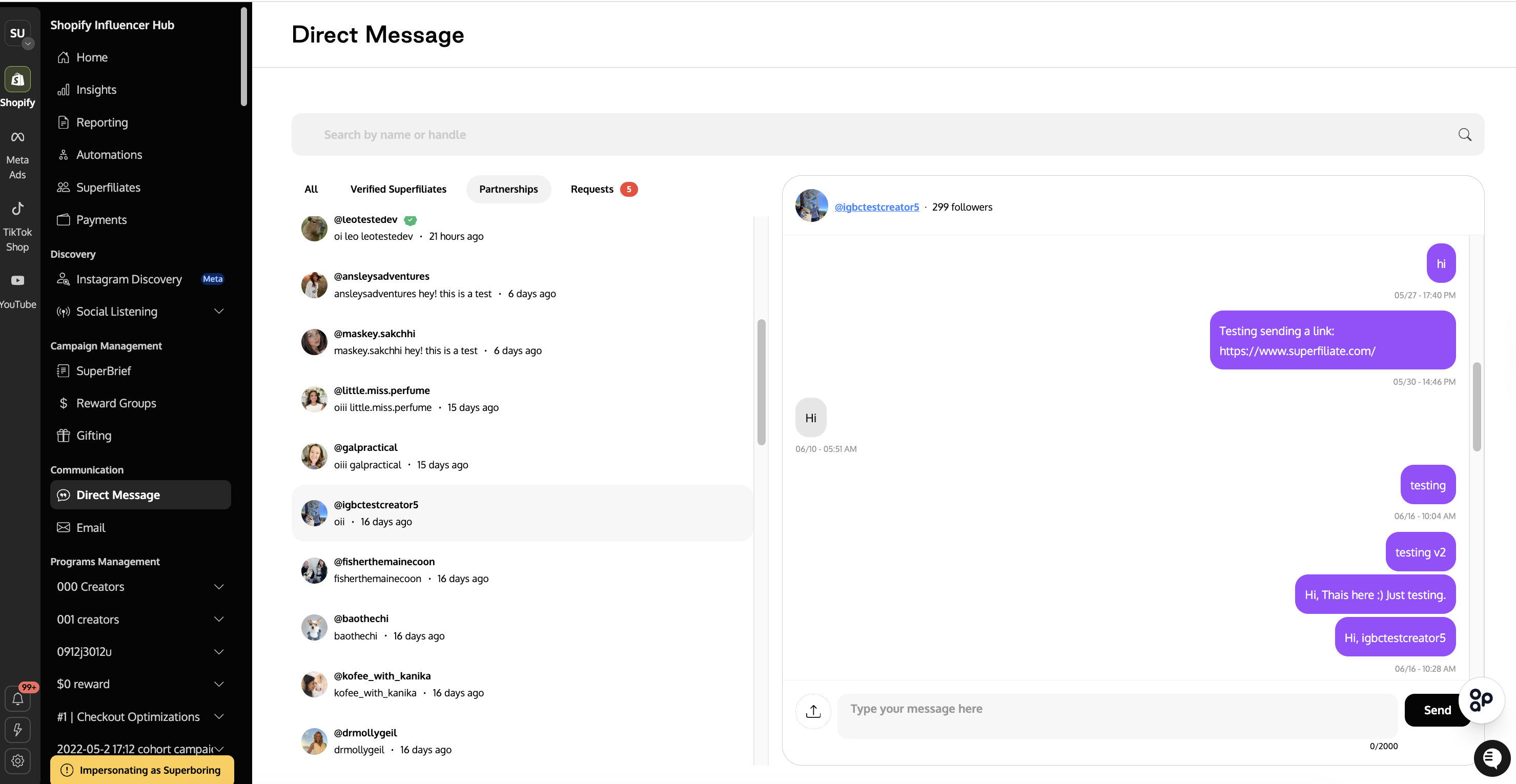
You can continue the conversation here — replies from this tab are sent through the Partnership folder.
Frequently Asked Questions (FAQ)
Q1. Why can't I send a Partnership DM to a specific creator?
A. The creator either hasn't opted into paid partnership messages on Instagram, isn't onboarded to Creator Marketplace, has a very high follower count that triggers Meta's follower shield, or has received messages from too many brands. All of these are Meta-level restrictions that Superfiliate cannot override.
Q2. Does the creator know the message is a Partnership DM?
A. Yes. The message appears in a dedicated "Partnerships" folder in their Instagram inbox, clearly separated from regular messages. This folder is specifically designed for brand outreach.
Q3. What happens if I hit the daily limit of 250 creators?
A. Any additional messages will fail with an error. The limit resets daily. Plan your outreach volume accordingly, especially when running bulk campaigns.
Q4. Can I send more than 2 messages to the same creator within 30 days?
A. No. This is a Meta-enforced guardrail. After 2 Partnership DMs to the same creator within 30 days, additional messages will be blocked until the window resets. However, if the creator replies to you, you can continue the conversation through regular DM replies without this restriction.
Q5. Can I use Partnership DMs through automations?
A. The automation "Send Instagram DM" action uses the standard messaging API (normal DMs), which requires prior interaction with the creator. Partnership DMs are currently available only through the manual outreach flow in Creator Discovery and Direct.