Attribution Overview
Last updated: October 16, 2026
Whether a sale is credited to a creator, and whether it earns commission, depends on your program rules, attribution window, and the tracking information available when the order is received. Your landing-page domain choice, storefront integration, browser settings, and consent choices can affect that information.
Program Settings
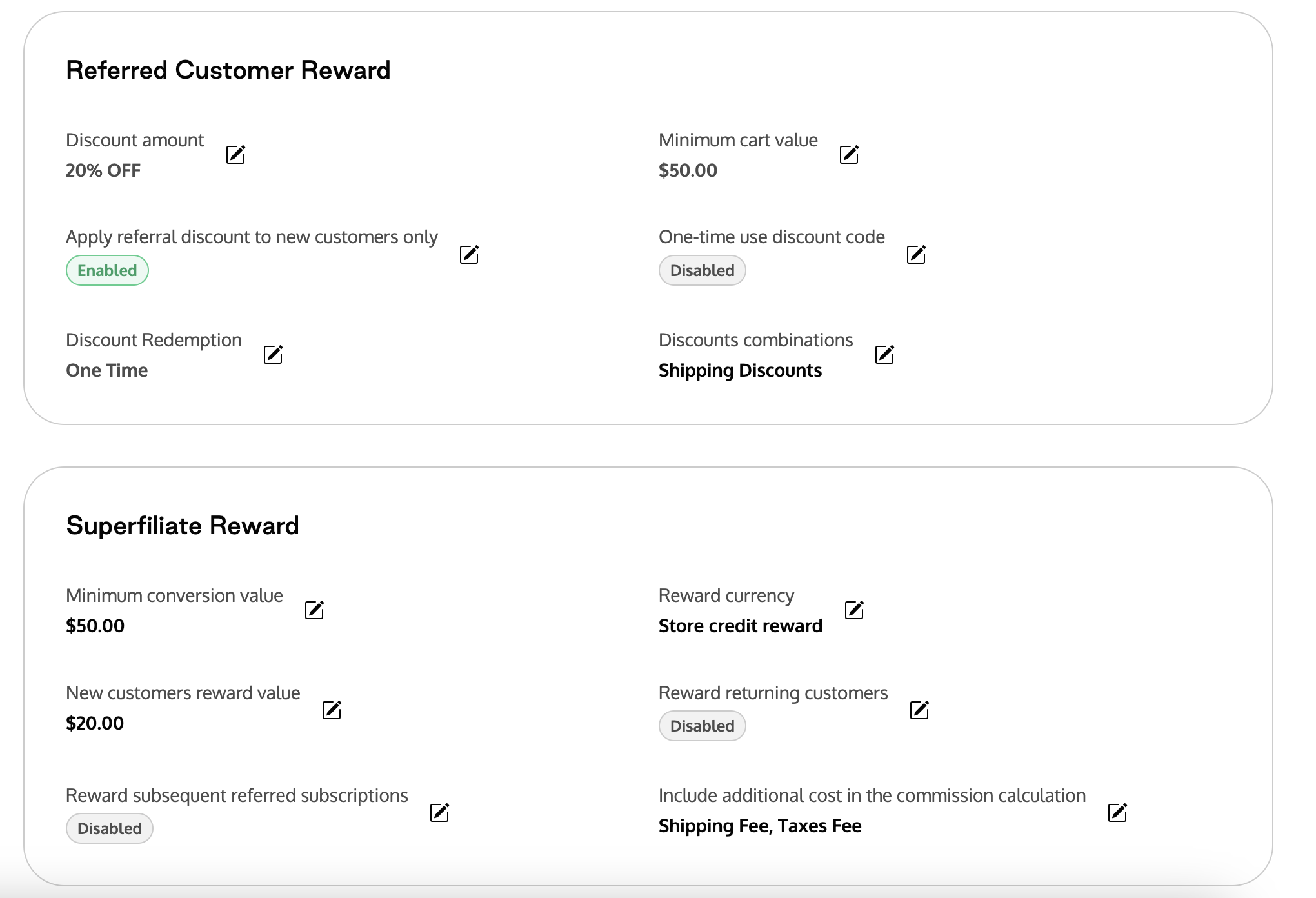
Program Settings are the foundation of when the "offer" or discount code to shoppers kicks in, and when Superfiliates become eligible to earn a reward. Based on how you configure your program, there may be times where the shopper gets a discount, but their order didn't clear the threshold for the Superfiliate to earn commission, such as if you choose to not reward Superfiliates on returning customers or orders under a minimum value. If the order is captured but the Superfiliate does not earn commission because of a program setting, the order will appear in your reporting with a rejected reason (more info here).
Link-only conversions and your domain choice
A shopper may buy without using the creator’s code, or may use a different code. That order can still be credited through link tracking when the order carries the creator’s tracking information and qualifies under your attribution window and program rules.
Landing pages on the storefront’s root domain
This is the recommended setup. For example, a storefront on brand.com and landing pages on partners.brand.com share a root domain. That helps tracking cookies carry between the landing page and storefront and supports your configured attribution window.
It does not guarantee every sale will be credited. Browser privacy controls, cleared cookies, another device, consent choices, and the storefront or checkout integration can still affect tracking.
Landing pages on a different root domain
When enabled for your store, you can choose another owned domain for branding flexibility. For example, landing pages on partners.brandcampaign.com and a storefront on brand.com do not share a cookie domain.
Existing Superfiliate shopping links can carry session information to the connected store, where its tracking integration may continue attribution. This depends on the shopper following that link, the parameters being preserved, and the destination’s integration, consent, and browser settings. Do not assume that a shopper returning directly to the storefront retains the landing-page tracking context.
Some sales may not be credited to creators. Connecting or verifying a different domain does not by itself provide the same tracking continuity as sharing the storefront’s root domain.
Without a custom landing-page domain
Link tracking depends on the session information reaching the connected store through the shopping flow. Do not assume that later purchases will be credited just because the shopper previously visited a landing page. The same browser, integration, consent, and parameter requirements apply.
Attribution-window settings
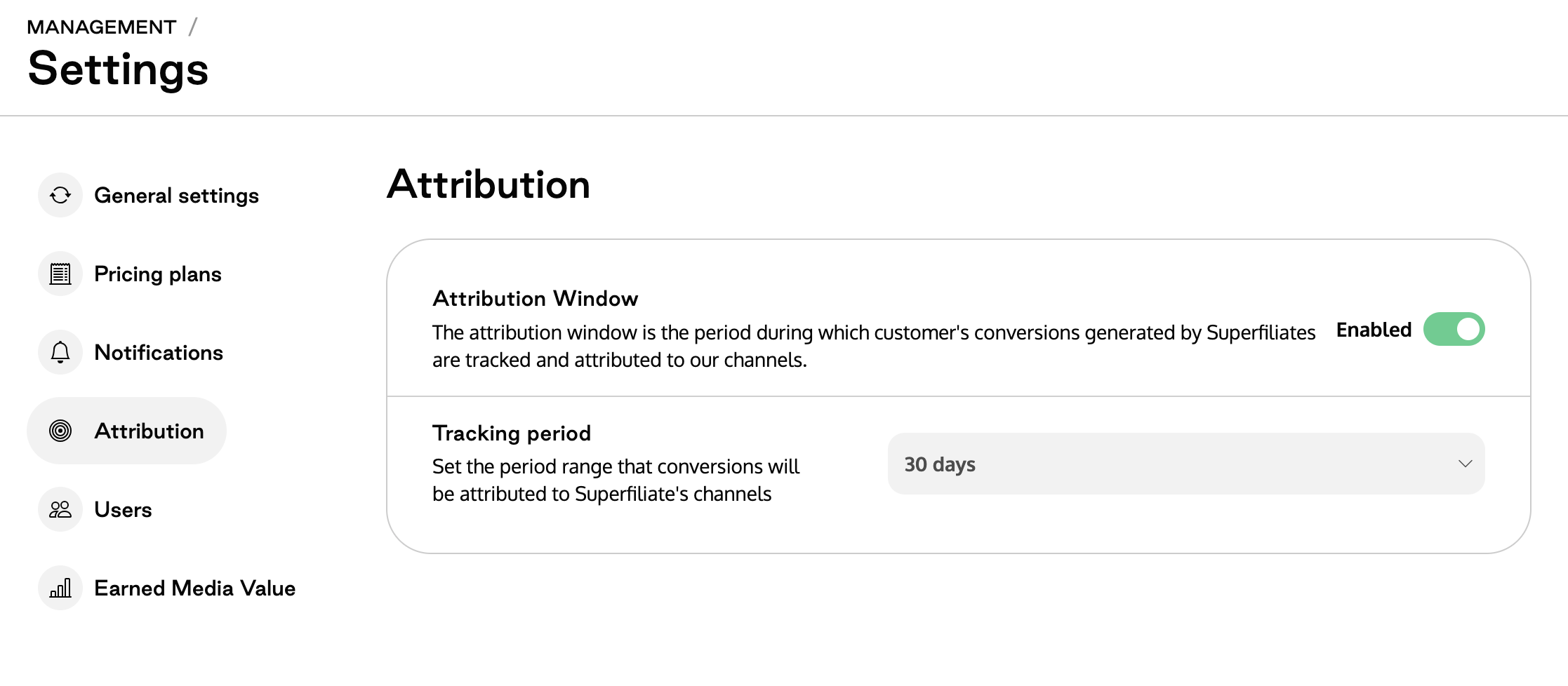
Where available, configure your attribution window in Settings → Attribution window. Choose a window that fits your buying cycle. A longer window changes how eligible tracked orders are evaluated; it cannot recover missing tracking information or make unrelated domains share cookies. Changes apply to orders made after the update.
For setup and troubleshooting, see Custom Domain Set Up. For a custom storefront, also follow Using Superfiliate with a Headless Storefront.
Edge Cases
There are all kinds of edge case scenarios that can impact which conversions are attributed to your Superfiliates, but a few more scenarios are:
If the same shopper clicks links from two different Superfiliates - the Superfiliate's link they clicked more recently will take attribution
If a shopper clicks a Superfiliate's link but uses a sitewide code, the order may be credited when its tracking information is available and it falls within the attribution window (commission will be dictated based on the relevant Program settings)
If you're temporarily running a Promotion to adjust discount/commission thresholds that can impact commission/whether orders are code eligible or become link only) - More information on Promotions