TikTok Shop Reporting
Last updated: February 4, 2026
The Insights section of Superfiliate's TikTok Shop integration provides a combination of high level and granular reporting on content, creators and sales data. You can adjust the reporting period as well as compare it to a previous period.
Shop Performance
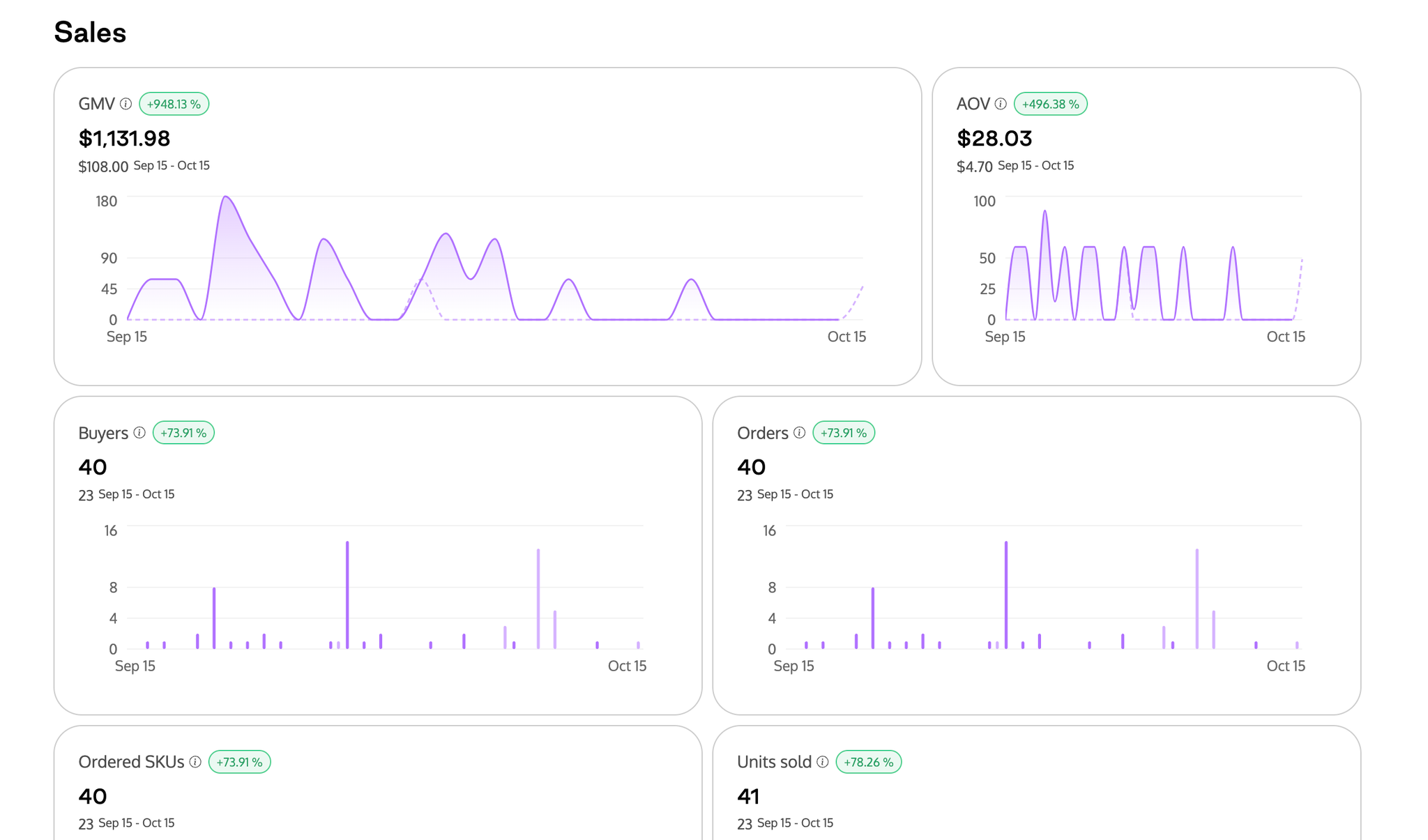
The dashboard displays all of the main metrics of your TikTok Shop, providing a clear view of performance through charts and graphs to help identify patterns, trends, and areas for improvement. You can filter by date range and compare one date range to another.
Videos
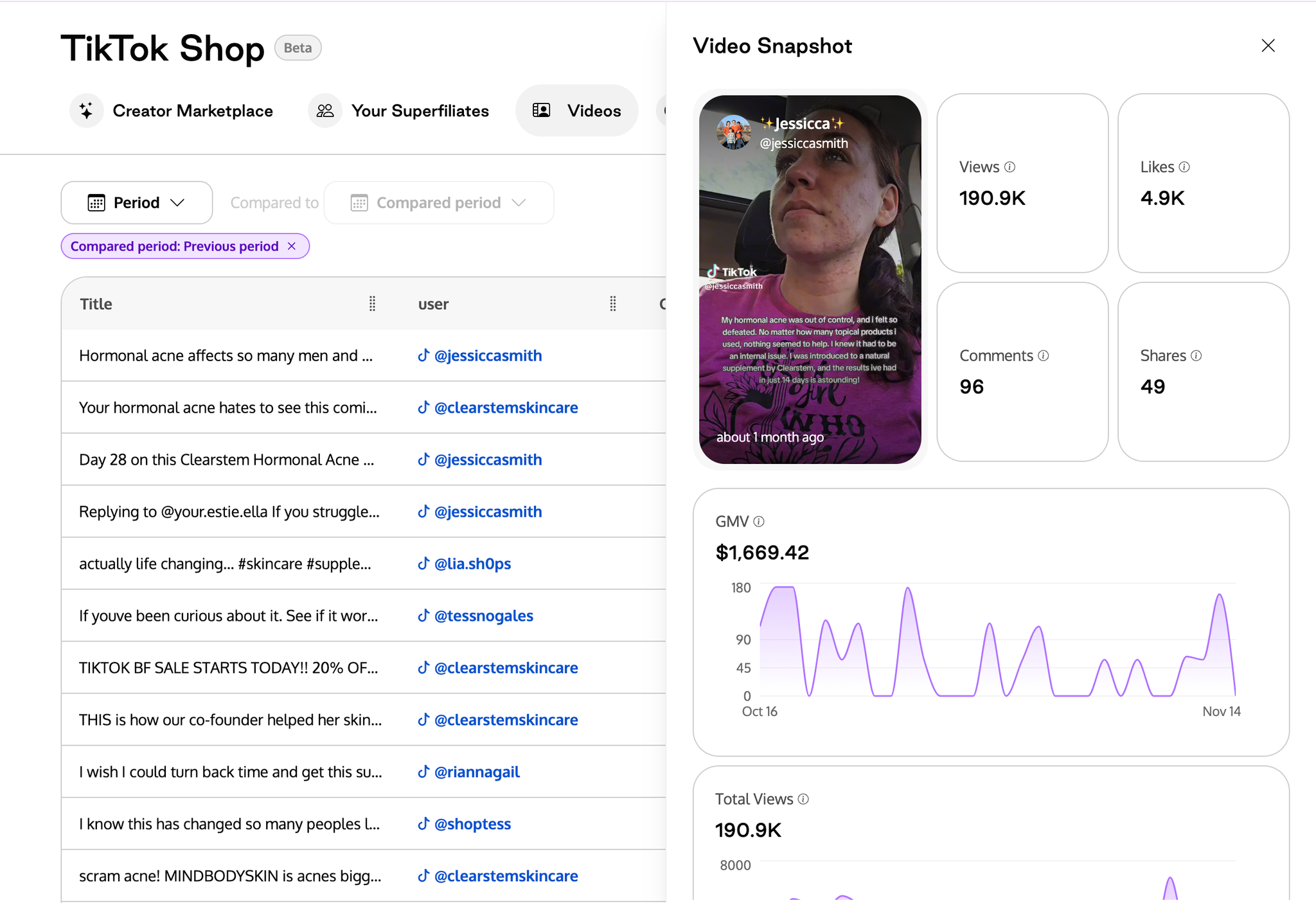
The centralized video dashboard consolidates all TikTok Shop videos, including those from your store and affiliates, into one organized space. With filtering options based on date, and the ability to sort by performance metrics, it’s easy to analyze content and track trends to find the most successful content. Performance insights help you understand which videos drive engagement and conversions, enabling data-driven content strategies.
Click on individual videos to view performance trends over time.
Creators
View all your affiliates in one place, along with their performance metrics. This centralized access simplifies the management of multiple creators and their contributions to your TikTok Shop. Track key performance indicators for each creator, such as sales generated and engagement rates. Use this data to manage and optimize your relationships effectively.
Shop Ads Commission (New)
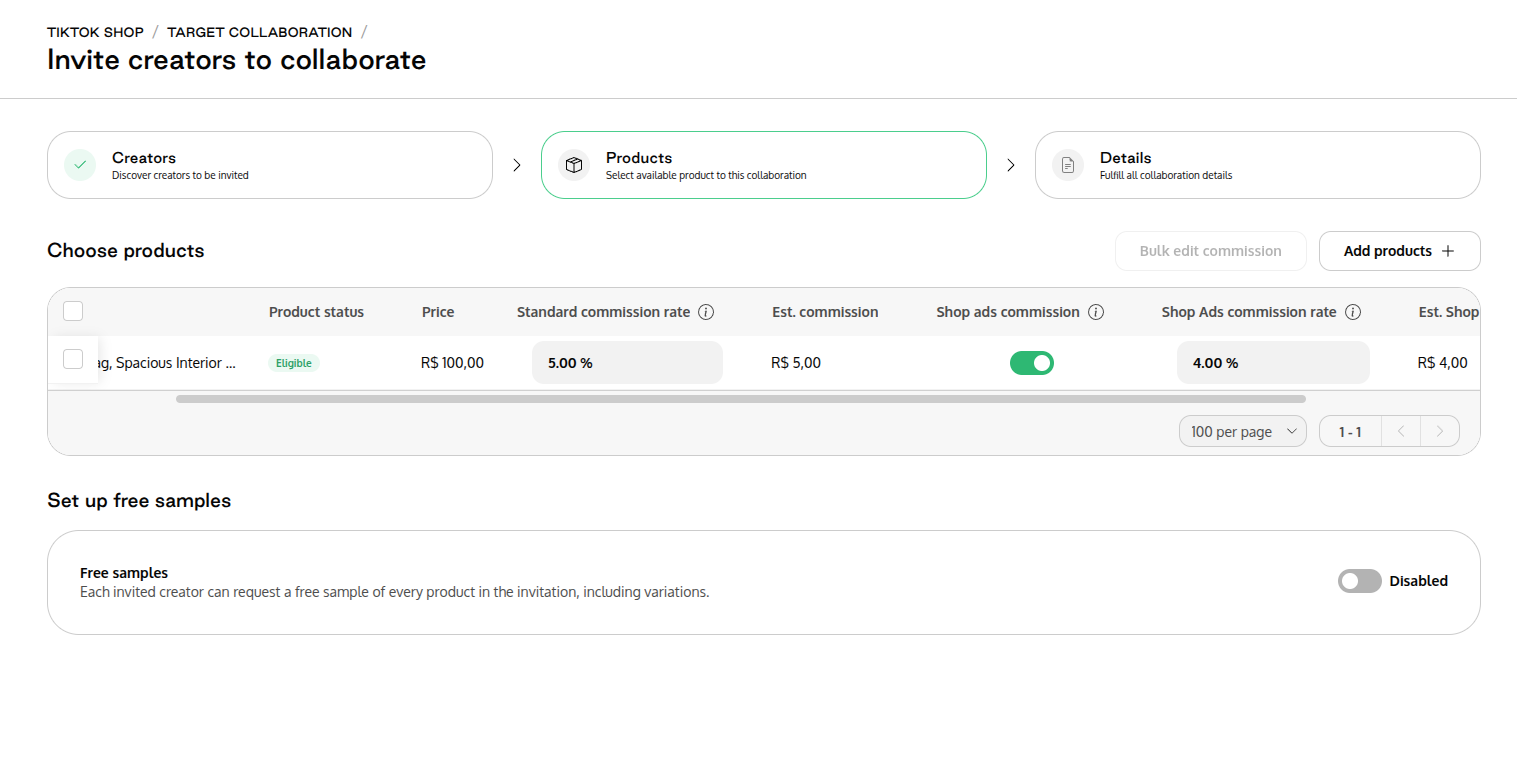
You can now set a separate commission rate for orders generated through TikTok Shop ads when creating a collaboration. This allows you to:
Here’s what it means and how it works:
Different rates for different outcomes: You can choose one commission rate for organic purchases (when someone buys through a creator’s regular post) and a different rate for purchases that come from paid Shop Ads using creator content.
Flexible setup: You can apply a Shop Ads commission rate at the product level, across multiple products, or for every eligible product in your shop. Rates can range from 1% up to 80%.
Optional but powerful: If you choose not to set a Shop Ads commission rate, creators will still earn your standard commission even when you use their content in paid ads.
For example, you might offer a higher commission for ad-driven sales to motivate creators to generate content that performs well in paid placements, while keeping your organic commission aligned with typical performance.