How to Duplicate Experiences in Existing Programs
Last updated: October 15, 2026
Reuse the design of an experience (portal, landing page, and so on) from one program in other programs, so you don't have to rebuild it from scratch.
Creating a new program? You can duplicate experiences directly in the new-program wizard, in the Experiences step. See How to create a new program in Superfiliate. Use the steps below for programs that already exist.
Step by step
Open the program that already has the experience you want to copy and go to the Experiences tab.
Click the three dots next to the experience type.
Select Copy Experience Design.
Choose the programs you want to copy the experience to, then apply.
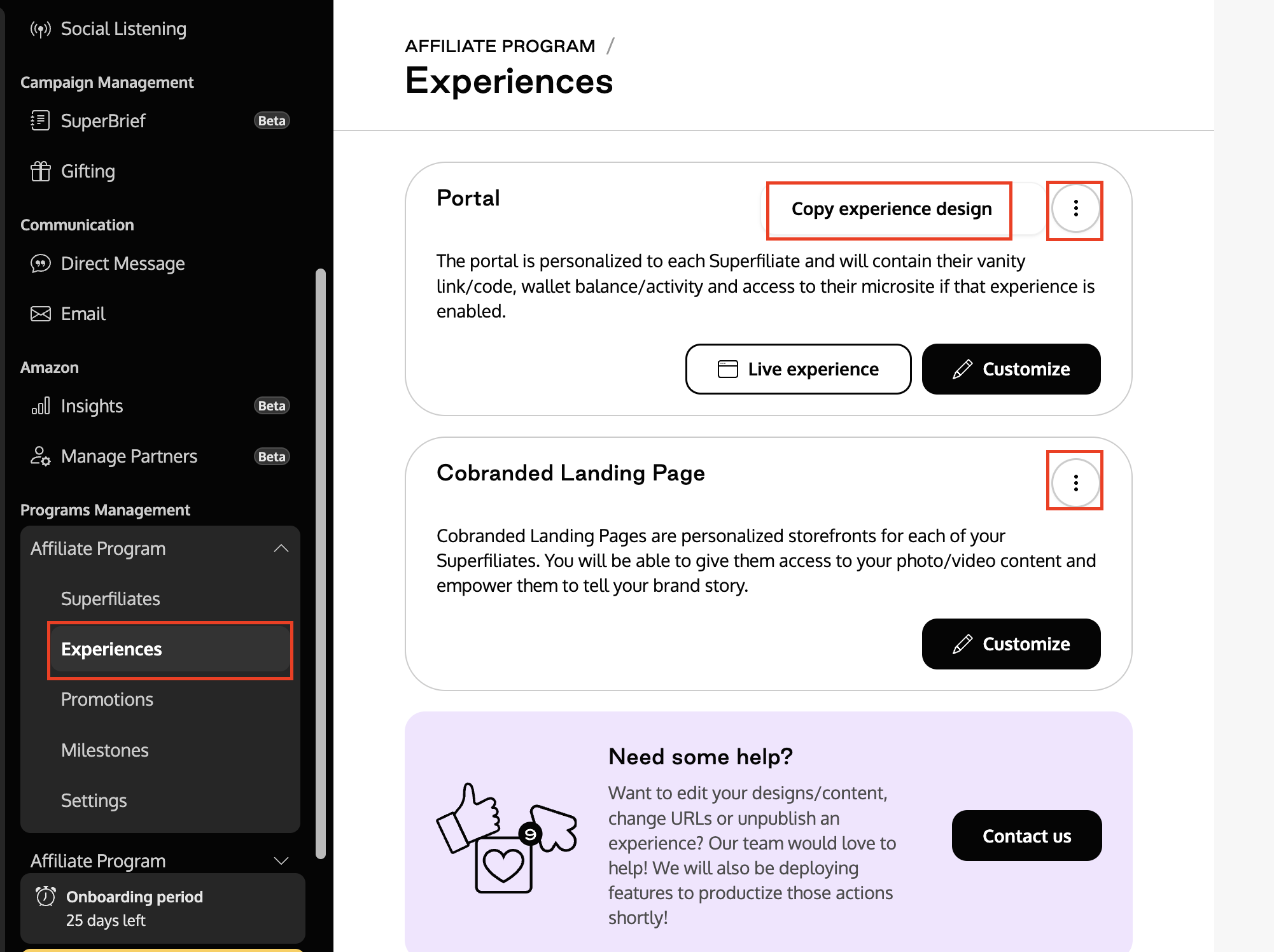
Each experience type is copied separately. If you use both the Portal and the Landing Page, repeat these steps for each one.
Tip: After copying, open the destination program and check that the variables, copy, and images fit that program. Adjust them if needed.