How to Get the Portal, Sign Up Form, and Landing Page Link
Last updated: October 15, 2026
Each program has three links you'll often share: the portal (where affiliates log in), the sign-up form (where new affiliates apply), and each affiliate's landing page (where shoppers arrive from the affiliate's link). Here's where to find each one.
Portal link
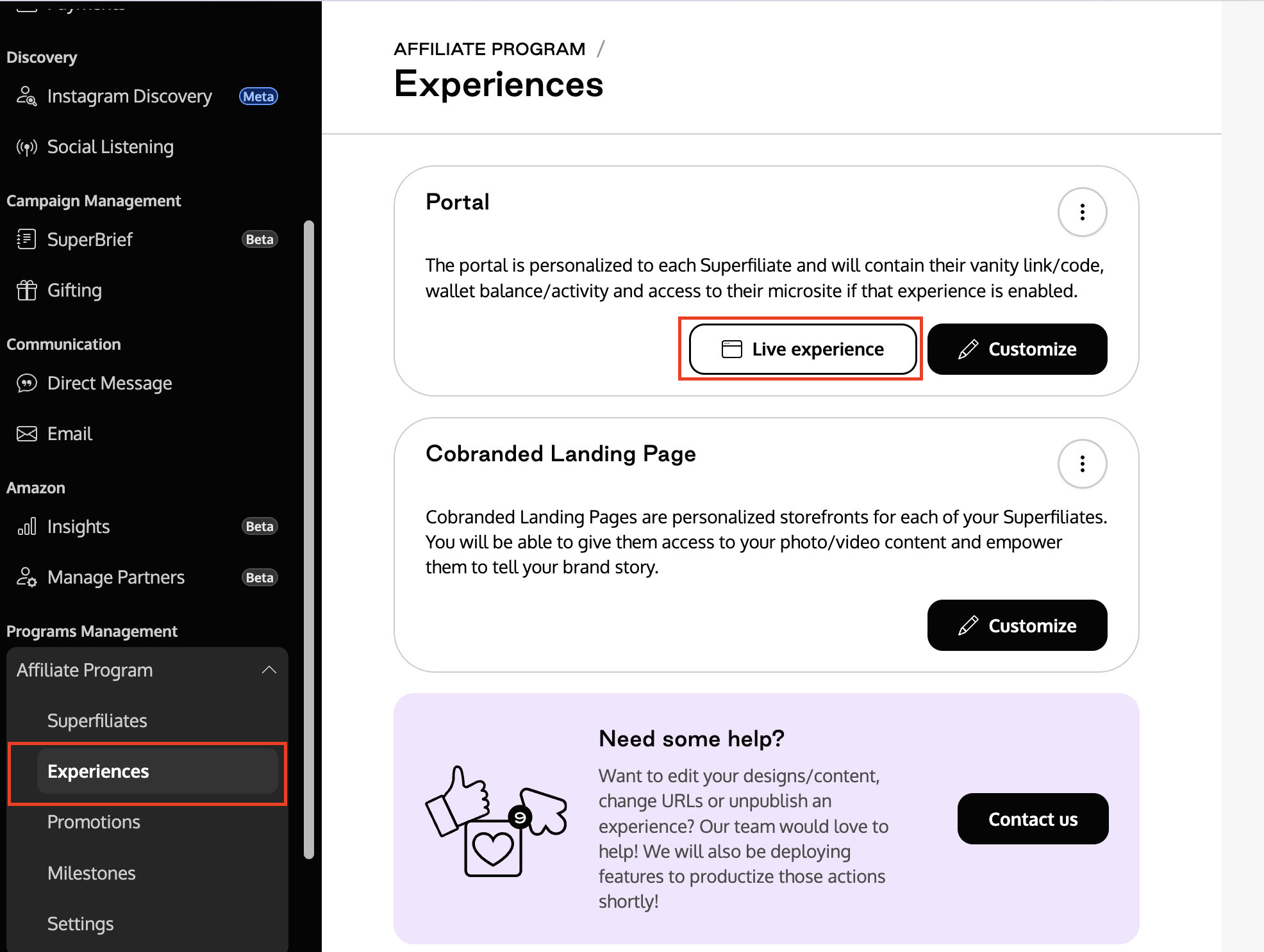
Open the program and go to its Experiences.
Click Live Experience.
A new page opens: this is the program portal. Copy the address from your browser.
Sign-up form link
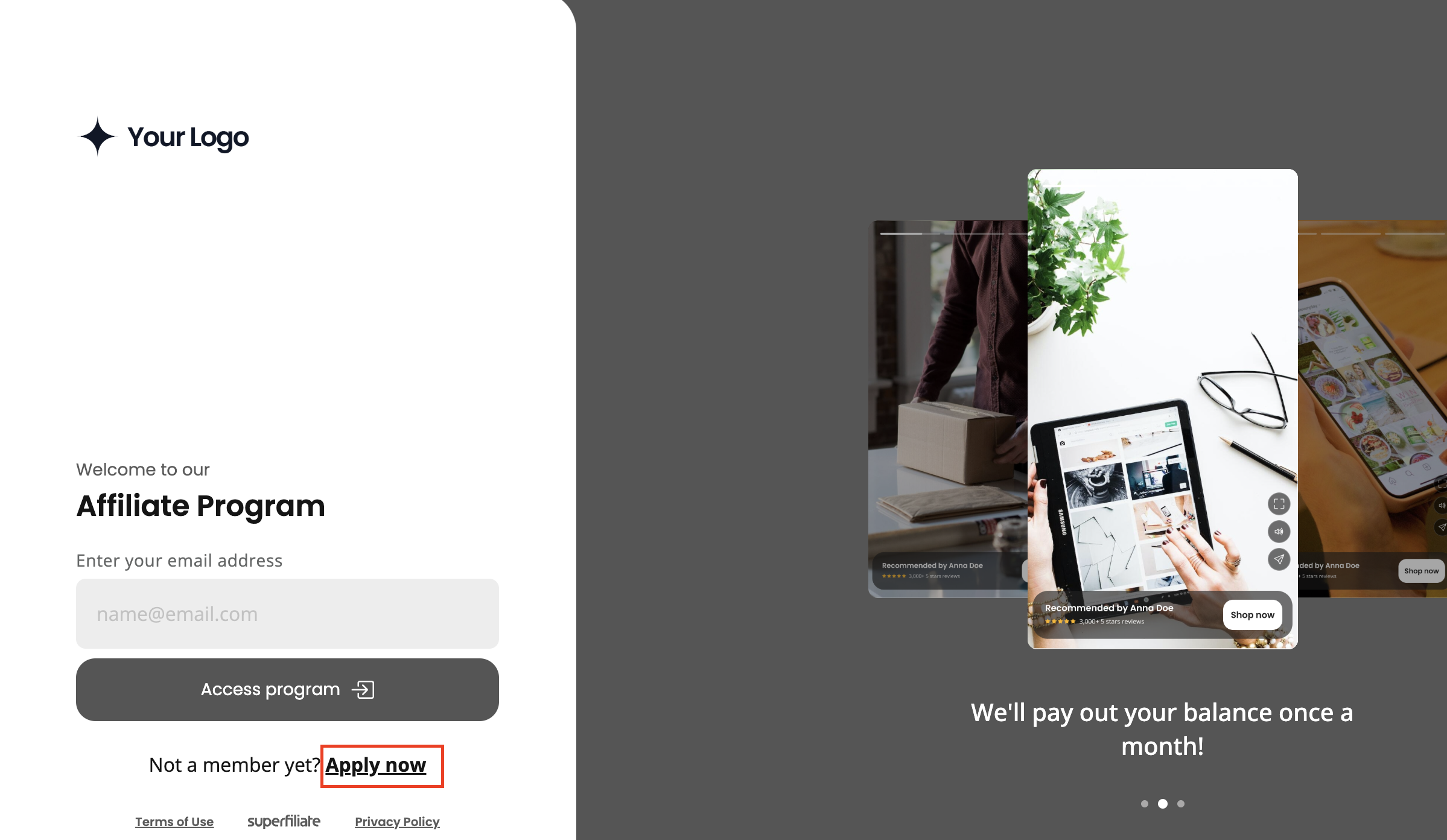
From the portal, click Apply Now.
You'll land on the sign-up form. Copy the address from your browser. It's the portal address followed by
/sign-up.
If the sign-up form is disabled for the program, new affiliates can't apply through this link. See What Happens When You Disable the Sign-Up Form?
Landing page link
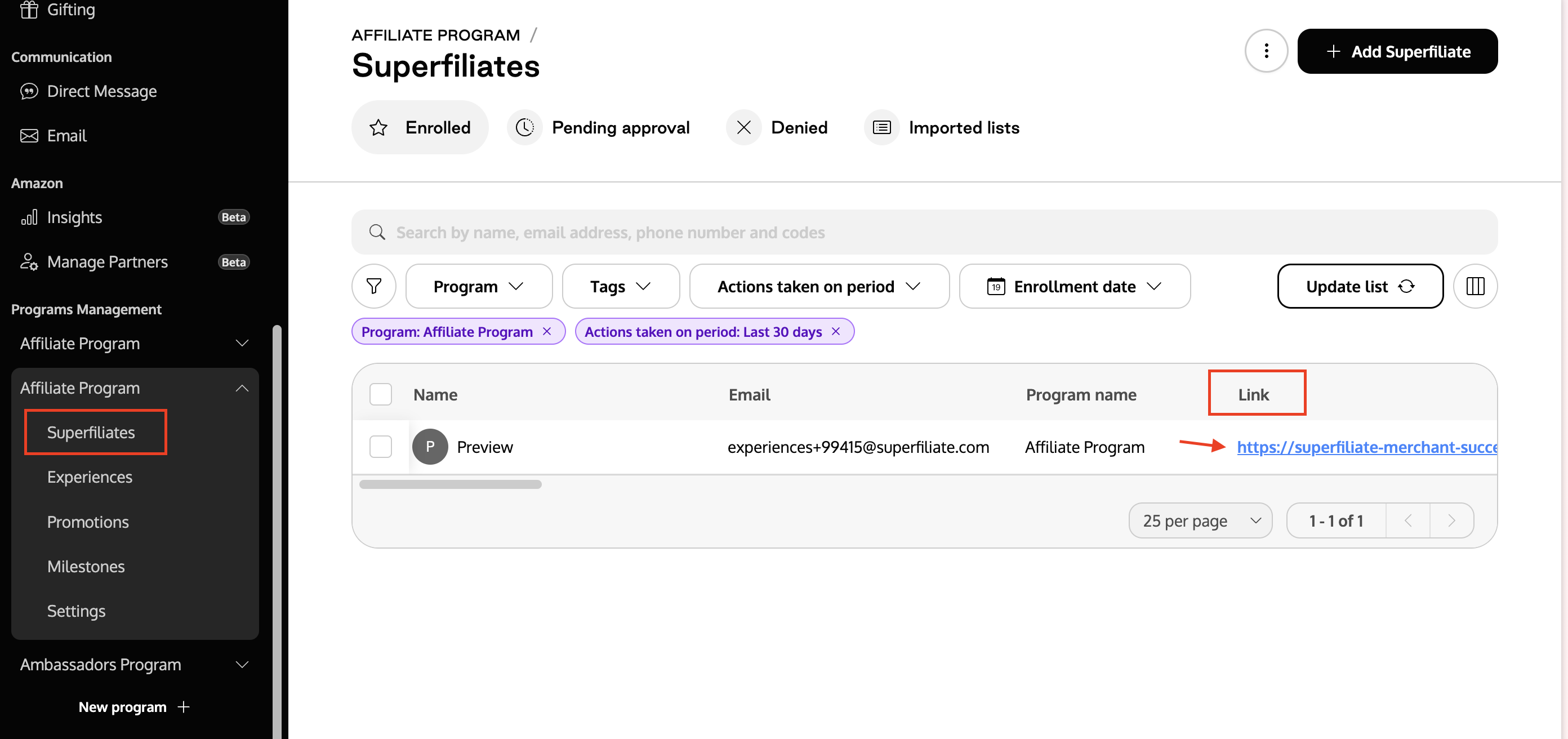
Go to the program's Superfiliates page.
Select the affiliate whose landing page you want.
Copy the link shown. This is the affiliate's landing page.
If the program's Cobranded Landing Page is disabled, this link sends shoppers to a redirect destination (such as a product or collection page) instead of a landing page. See Choose where your creator links send shoppers.