How to Give Additional Users Access to Superfiliate
Last updated: September 23, 2026
You can give someone access to your Superfiliate account in two ways: through Shopify Apps access, or by inviting them by email. The same person can have either one, or both.
Shopify Apps Access
Logins to Superfiliate are primarily managed through your Shopify account. Any Shopify user with App Access can automatically access your Superfiliate account.
Here's a video of how you can grant App Access to someone so they can access Superfiliate through Shopify:
Note: Only Admin-level users in Shopify are allowed to create new permissions, so be sure to reach out to an Admin of the Shopify that Superfiliate is installed on
Inviting Users via Email
You can invite anyone by email, including people who already have access to Shopify Apps.
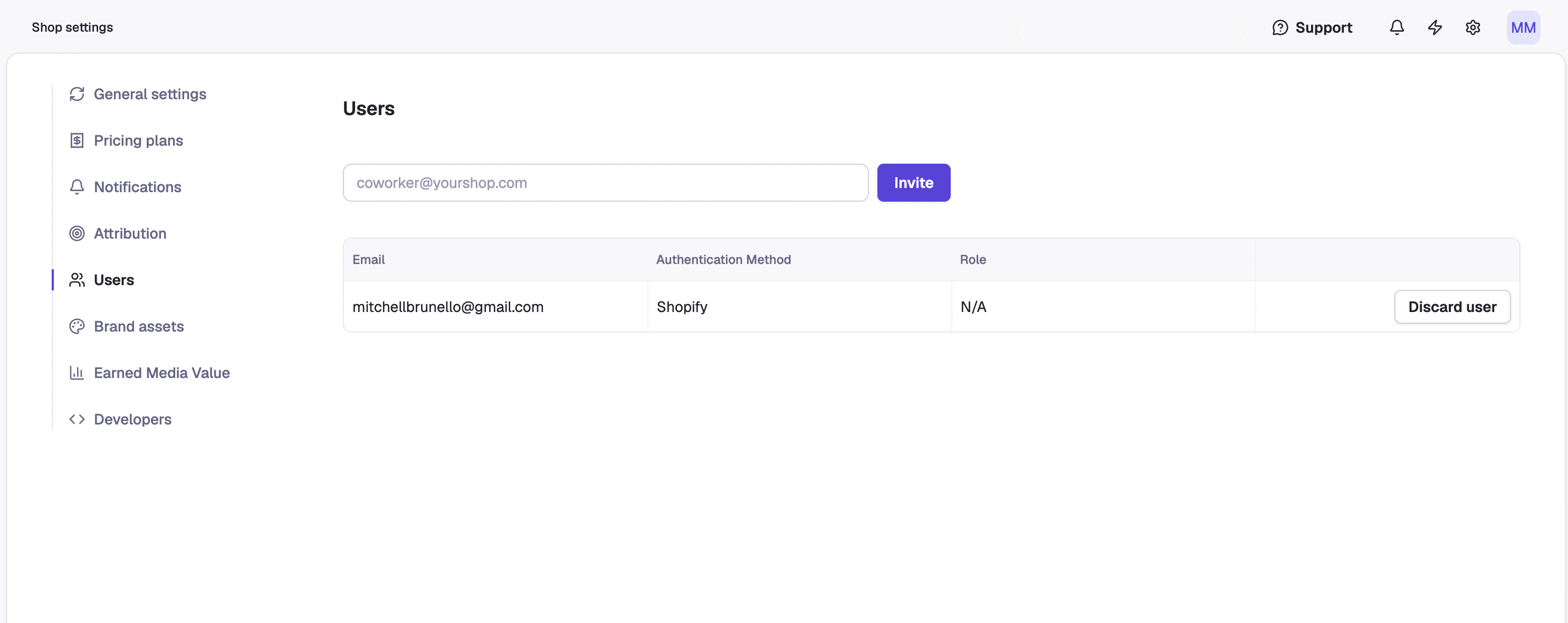
In Superfiliate, go to Settings (bottom left) and click Users.
Enter the person's email address and click Invite.
The recipient accepts the invitation in the email they receive and completes their account setup.
From then on, they sign in at auth.superfiliate.com/sign-in.
Until the invitation is accepted, the user appears in the Users table as (Pending invite).
Tip: Invite the address the person will actually sign in with. Aliases and forwarding addresses can cause problems later.
Remove a user's access
Once invited, you cannot remove a user from your account, so be careful about who you invite (you can contact hello@superfiliate.com to request a removal, but it will not be instantaneous/may take several business days)