Sending Hidden Products in Gifting Campaigns
Last updated: October 26, 2026
You can now include hidden or unpublished products in your gifting campaigns — even if they aren’t visible in your Shopify store.
This allows you to send exclusive gifts, such as early product samples or upcoming launches, to creators before the product is publicly available.
This feature is perfect when:
You’re launching a new product soon, but want creators to test it early.
You want to send exclusive or limited-edition gifts not yet available for sale.
You want to control visibility while still managing inventory, orders, and fulfillment through Shopify.
With this setup, hidden products stay unpublished on your store but remain available for gifting campaigns through Superfiliate.
Which campaigns can send hidden products
You Choose and Ship: works for every store. Superfiliate places the order directly in Shopify, so the product doesn't need to be on your Online Store.
Creator selects the product: works only if your store has draft-order gifting (Superfiliate has permission to create draft orders in your Shopify store). Not every store has it, so if you're unsure, ask Superfiliate support to check. Without it, creators finish at your regular Shopify checkout, which can only sell products published to the Online Store, and they'll see a “Cannot find variant” error.
How to Hide a Product but Keep It Giftable
Go to your Shopify Admin
Log in to your Shopify Admin dashboard.
Click Products in the left-hand menu.
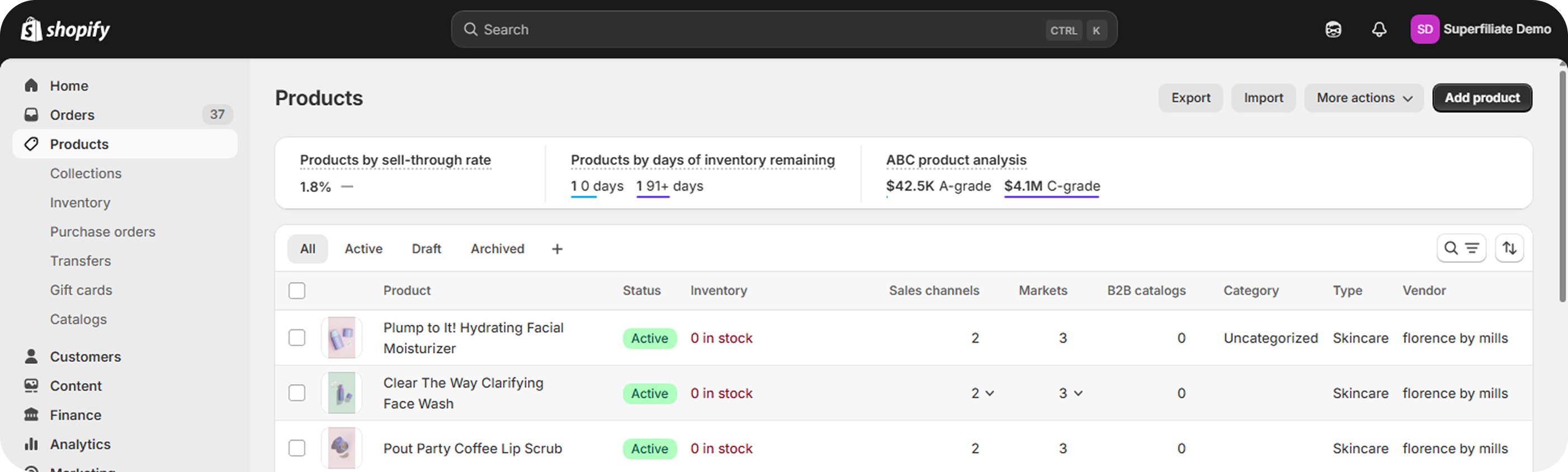
Select the Product
Choose the product you want to send as a gift.
Make sure the Product status is set to Active. If your store has draft-order gifting, Unlisted works too. Draft and Archived products can’t be gifted.
This ensures the product can still be processed in your gifting campaign.
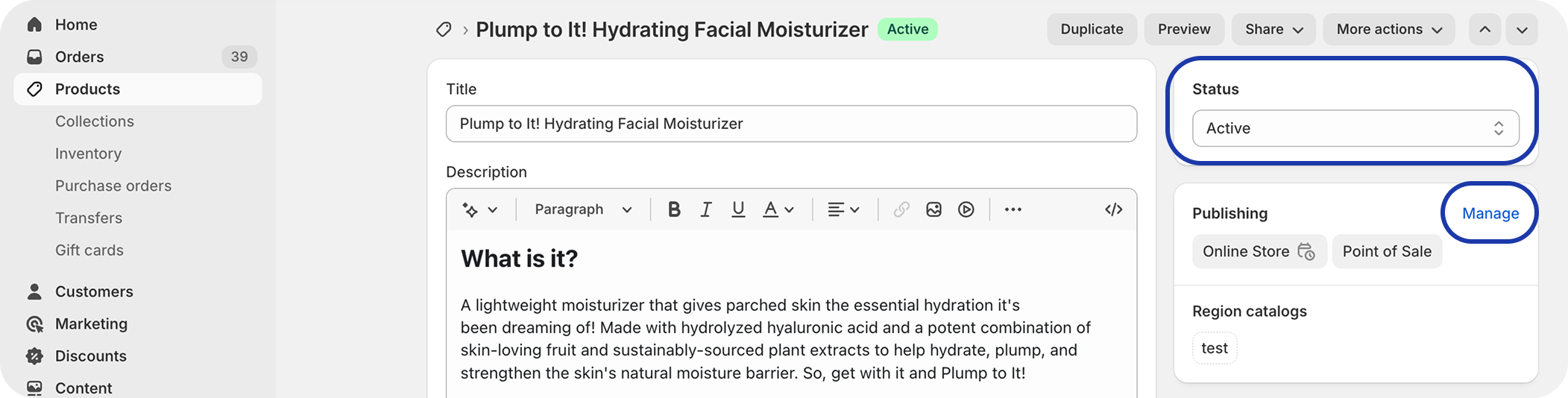
Manage Publishing Settings
In the Publishing or Sales channels and apps section, click Manage.
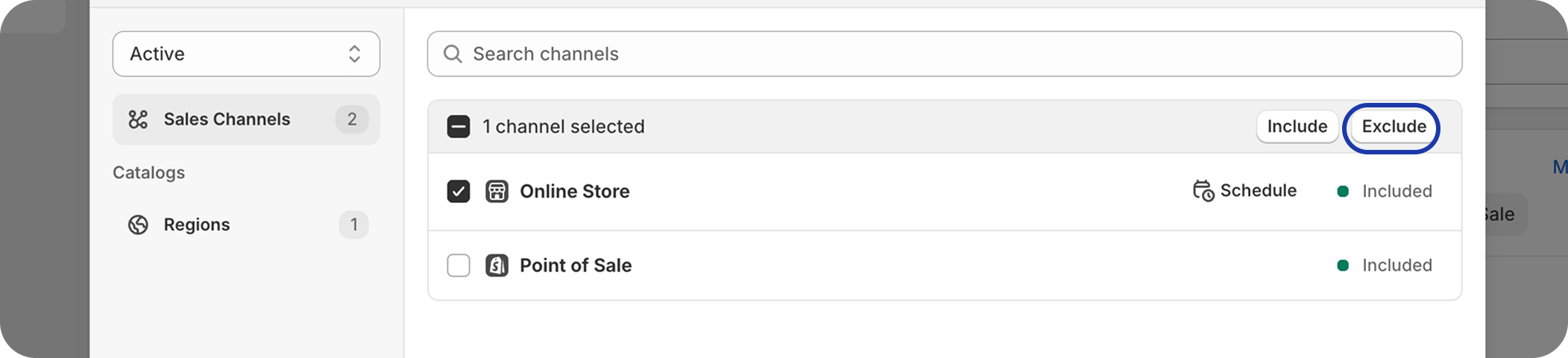
Uncheck Online Store (or click Exclude next to Online Store).
Click Done, then Save.
This step removes the product from your public store but keeps it active in Shopify, allowing Superfiliate to access and send it in gifting campaigns.
What Happens After Gifting
Hidden products:
Do not show on your storefront or collections.
Can still be fulfilled and tracked like any other Shopify order.
Remain hidden until you republish them to the Online Store.
To make the product public later:
Go back to Products → Manage sales channels → Online Store → Include → Save.