How to Gift External Creators
Last updated: November 13, 2025
You can send gifts to creators who are not part of your affiliate program by using the External Creators option inside a gifting campaign.
This article walks you through how to set up a campaign for external creators, and how to add new creators even after the campaign is already live.
Step 1: Set up a Gifting Campaign
First, create your gifting campaign.
You can follow our step-by-step guide here: How to Create a Gifting Campaign
Step 2: Select “External Creators” as Your Audience
When choosing the Audience during campaign setup, select: External Creators
This ensures the campaign is configured for sending invites to creators outside your Superfiliate program.
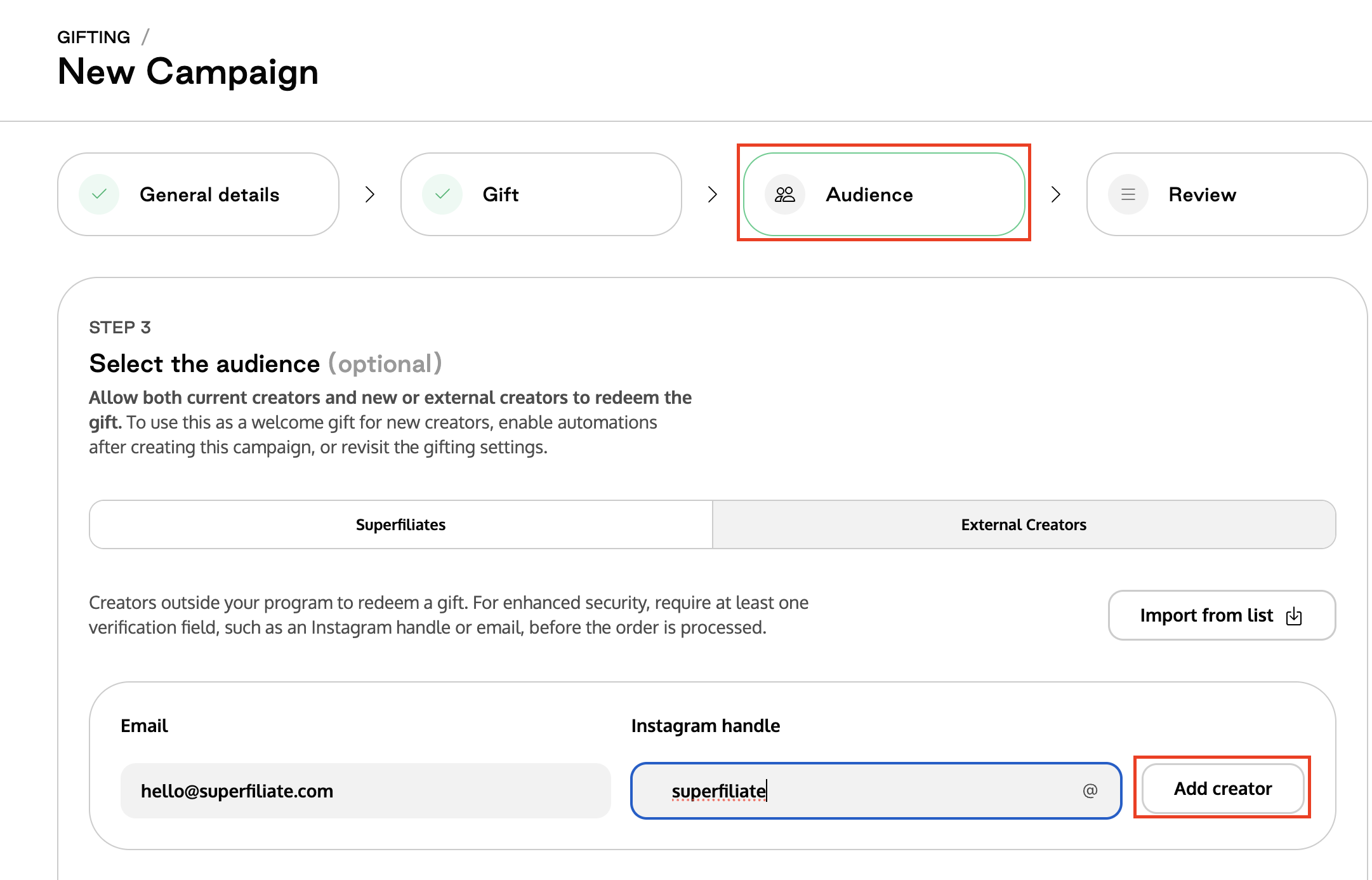
Step 3: Add Creator Emails & Instagram Handles
You can now add the creators you’d like to gift:
Enter their email address
Enter their Instagram handle (optional but recommended)
You may also upload a CSV file containing this same information if you’re adding creators in bulk.
Adding External Creators After a Campaign Is Already Created
If your gifting campaign is already live, you can still add more external creators to it.
Just follow these steps:
Open the gifting campaign: Go to Campaigns > select your gifting campaign.
Navigate to the External Creators tab
Manually add each creator’s email and Instagram handle.
You can also click Copy Link and share it with the creator. They will fill out their details and automatically join the campaign.
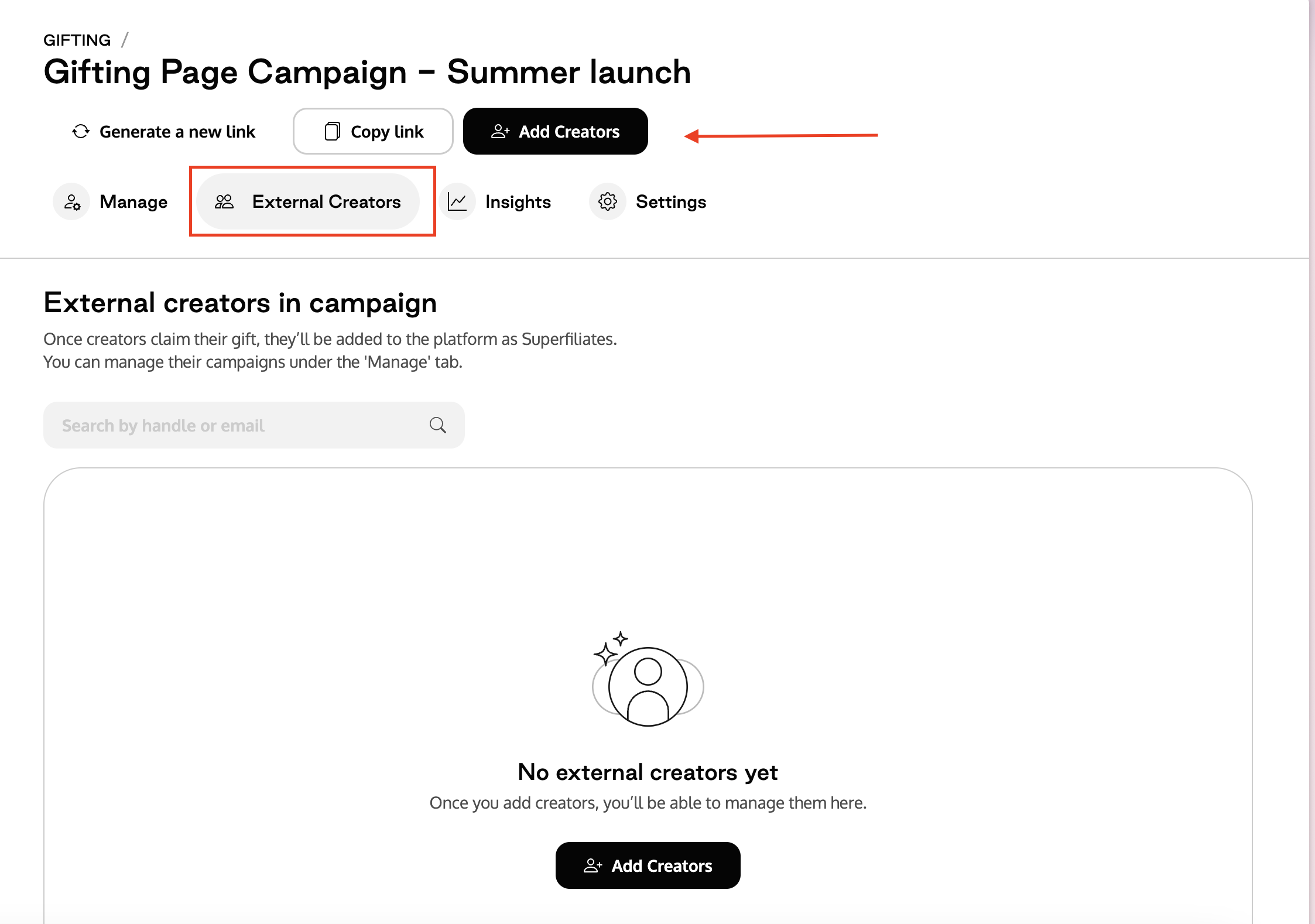
You can only add external creators to campaigns where “Creator chooses via Gifting Page” is enabled.