Update A Superfiliate's Code or Link
Last updated: October 7, 2026
Update Superfiliate Assigned Code/Link
You have the option to change the discount codes and links for your Superfiliate's within their individual profiles.
This change will reflect on their Vanity URL links, and it will be automatically updated inside your Shopify account under the discounts tab.
Here's a video of how you can change the affiliate code/link:
Link Pre-Existing Code Within Superfiliate
If you're changing a Superfiliate's code to an already pre-existing code that you previously created via Shopify, this message will appear to you:
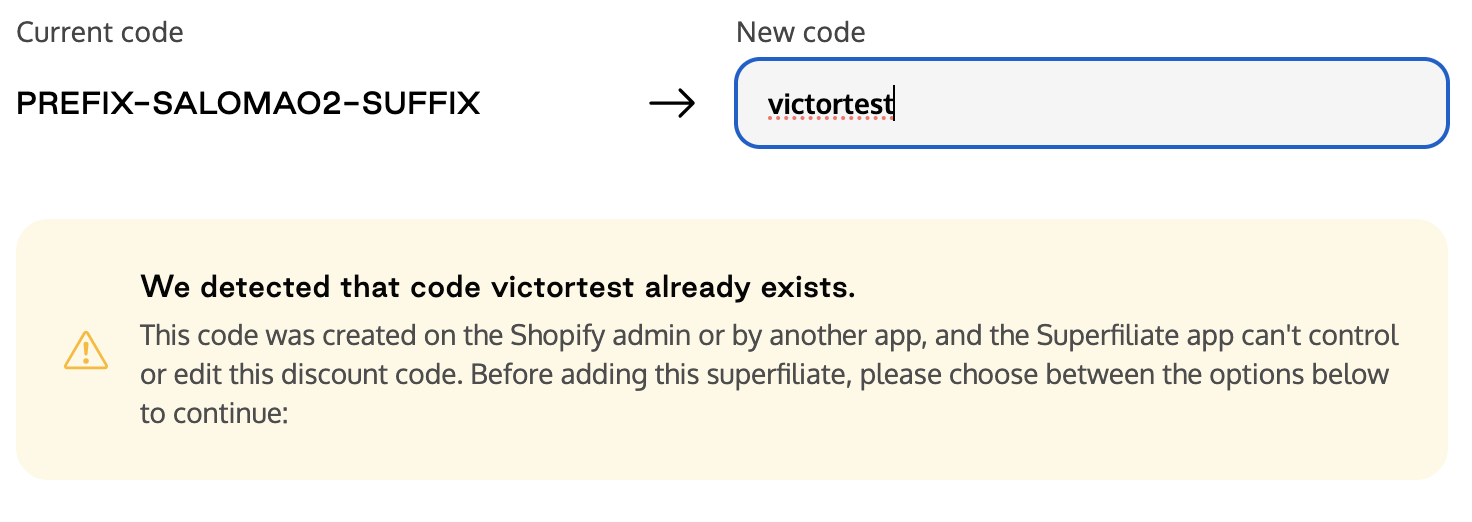
It means that we detect that a code that you're trying to associate to the Superfiliate has already been created in your Shopify account, and you'll have two options:
Use the code how it is
Superfiliate will not control or edit the discount code
When the program changes, when running promotions, or when updating rewards settings within Superfiliate the code will NOT update to match the program or promotion changes
When you should use this option:
It is best to use when you want to run personalized promotions and offers that are different from the program
Use this discount code with another app like Refersion or Impact, for analytics or managing rewards
Migrate code to Superfiliate
Superfiliate will fully control the discount code, deleting and recreating it within your Shopify discount folder
This ensures all program changes, promotions, and other rewards are synced with the discount code
When you should use this option:
When you want every update on the Program Settings to be synchronized with the discount code
To ensure that the Cobranded Landing Page and Portal are always synced with the discount values
To prevent incidents of the discount being changed or deleted by a person or app by mistake
Update Link Destination
If the program your Superfiliate is in has the Cobranded Landing Page disabled (Settings), you can update each individual Superfiliate's link to point to a specific page within their contact page. Open the creator's profile, find Redirect destination, and click its edit icon.
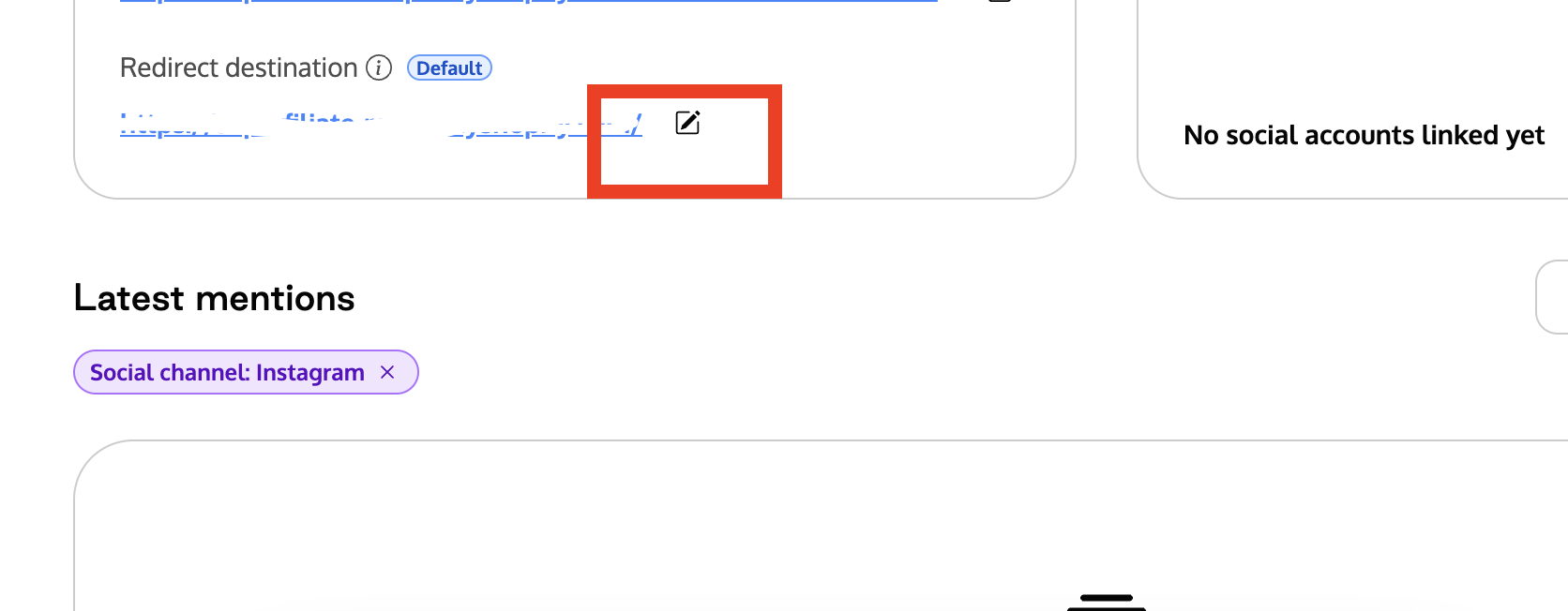
You can send shoppers to a Page on your store (Recommended), Another storefront or domain of this same store, or an External URL. To make the creator follow the program's destination again, select Return to default. See Choose where your creator links send shoppers for how each option affects discounts and tracking.
To update the link destination for the entire Program, go to Program > Settings > Experiences > Cobranded Landing Page > Redirect destination.