Accessing a Superfiliate's Portal
Last updated: September 18, 2025
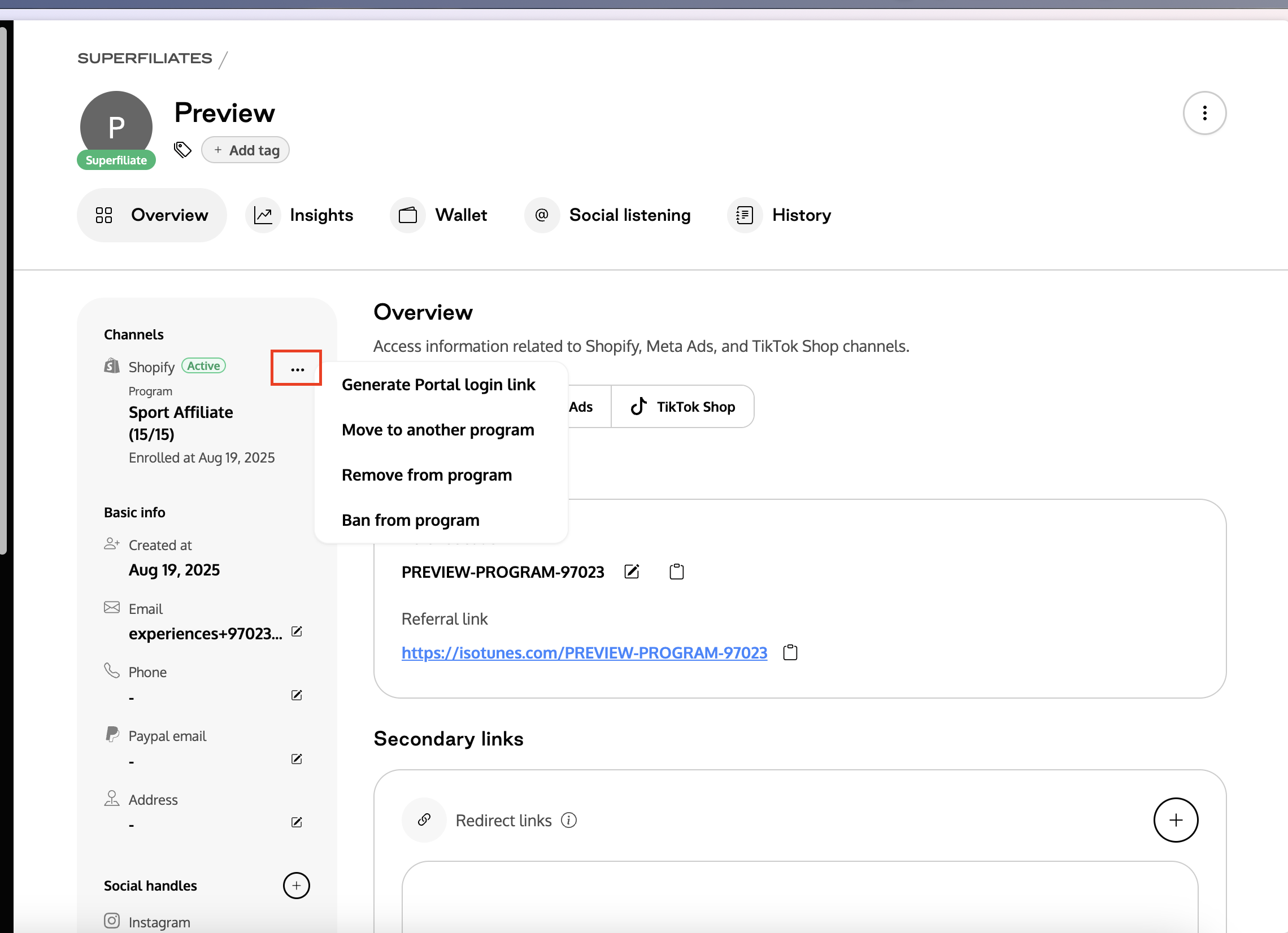
If you want to view a Superfiliate's portal to help troubleshoot, you can generate a one-time-use access link from within their profile page.
When viewing the affiliate’s profile, go to the Overview tab and look at the information column on the left. In the first section called Channels, you’ll see the Shopify channel listed. Click on the three dots next to it and select Generate Portal login link to create a direct login link for the affiliate.
Note: Do not share this link with anyone else, as it exposes personal information about the Superfiliate